Powerful tool for artists and game developers
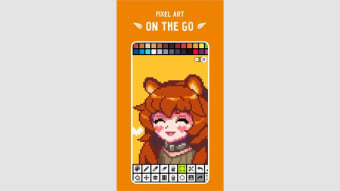
Pixel Studio bills itself as a simple, fast, and portable multimedia pixel art editor, and it absolutely delivers on that promise. With over 5 million downloads and support in 25 different languages, it's clearly resonating with a global community of artists and game developers.
Top Recommended Alternative
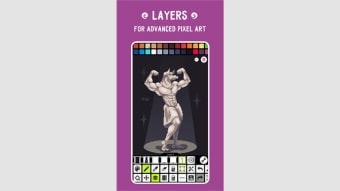
Whether you're a seasoned pixel artist or just starting out, the intuitive and user-friendly design ensures you can jump in without a steep learning curve. Pixel Studio’s robust feature set, including layers and frame-by-frame animations, provides a professional-level workspace that goes far beyond basic drawing tools.
Versatile features
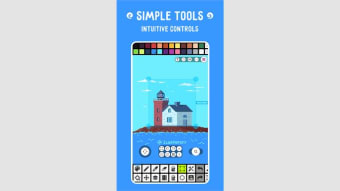
Pixel Studio excels by offering a wide array of tools that cater to both artistic detail and game development needs. Key features like the Shape Tool, Gradient Tool, Tile Mode for brushes, and Symmetry drawing (X, Y, X+Y) are significant additions that simplify complex tasks like creating seamless textures and precise patterns. Furthermore, advanced tools such as the Dot Pen for cursor-based drawing and the Dithering Pen for realistic shadows.
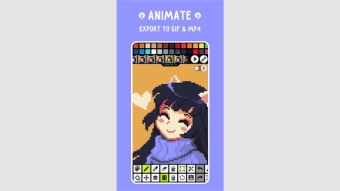
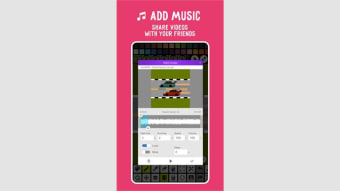
A crucial element of this appeal is its focus on animation and sharing. You can easily create detailed frame-by-frame animations, utilize Onion Skin for a smoother process, and then export to popular formats like GIF or even MP4 video with added music. However, one potential drawback for serious professionals is that the program's Aseprite file support is import only, meaning you cannot export projects back into Aseprite format.
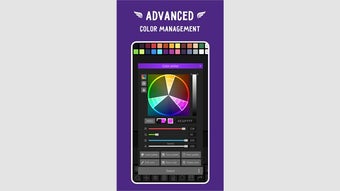
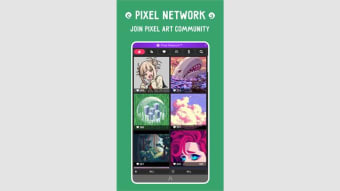
For those interested in color and community, the editor integrates nicely with the wider art world. It allows you to create custom palettes or easily download palettes from Lospec, and the advanced color picker supports RGBA and HSV modes. Sharing your creations is streamlined through its integrated Pixel Network™ community. Be mindful, however, that while the free version is robust, the Google Drive sync is a PRO feature.
Final verdict
Pixel Studio is a strong contender for the title of best portable pixel art editor. Its excellent cross-platform support, professional toolset like layers and advanced brushes, and dedicated animation features make it suitable for a wide audience, from hobbyists to indie developers. The optional, one-time PRO purchase unlocks critical features like ad removal, true cross-platform sync, and an expanded feature set, which is a worthwhile investment for dedicated creators.






.png)